Physical Address
304 North Cardinal St.
Dorchester Center, MA 02124
Physical Address
304 North Cardinal St.
Dorchester Center, MA 02124


These simple DIY cable management ideas will help you hide messy desk cords, organize your workspace, and create a cleaner home office that instantly feels calmer and more functional.
The charger slipped behind the desk again. My laptop cable wrapped itself around the chair wheel, the monitor cord somehow tangled with headphones, and under the desk looked like a tiny electrical jungle nobody wanted to deal with.
That messy cable situation builds up slowly. One extra charger here. One random extension cord there. Then suddenly the desk feels cluttered no matter how often you clean it.
The good news is you do not need expensive organizers or a fancy renovation to fix it. A few easy tricks can completely change how your workspace looks and feels. These 5 simple DIY solutions on how to hide cables on desk setups can help create a cleaner, calmer workspace without spending a fortune.

Visible cords instantly create visual clutter.
Even a beautiful desk setup starts looking chaotic once cables start hanging everywhere. Hiding cords helps the workspace feel cleaner and more organized almost immediately.
Good cable management can:
Honestly, once the cables disappear, the entire room suddenly feels more expensive 🙂
Takeaway: Simple cable management instantly makes a workspace feel calmer and more polished.
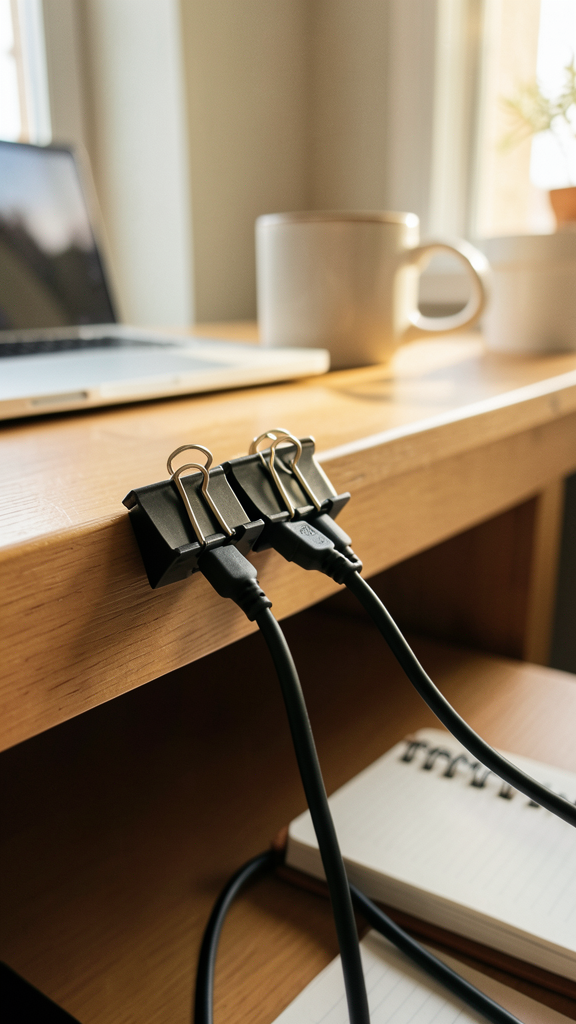
This might be the cheapest desk upgrade ever.
Before buying fancy organizers, I used basic black binder clips from an old office drawer to keep charging cables from falling behind the desk every five minutes.
And surprisingly, it worked really well.
That is it. Extremely simple.
Binder clips:
This works especially well for:
Use black clips for darker desks and white clips for lighter setups so they blend in better visually.
Tiny detail. Big difference.
Takeaway: Binder clips create an easy affordable DIY cable management system in minutes.
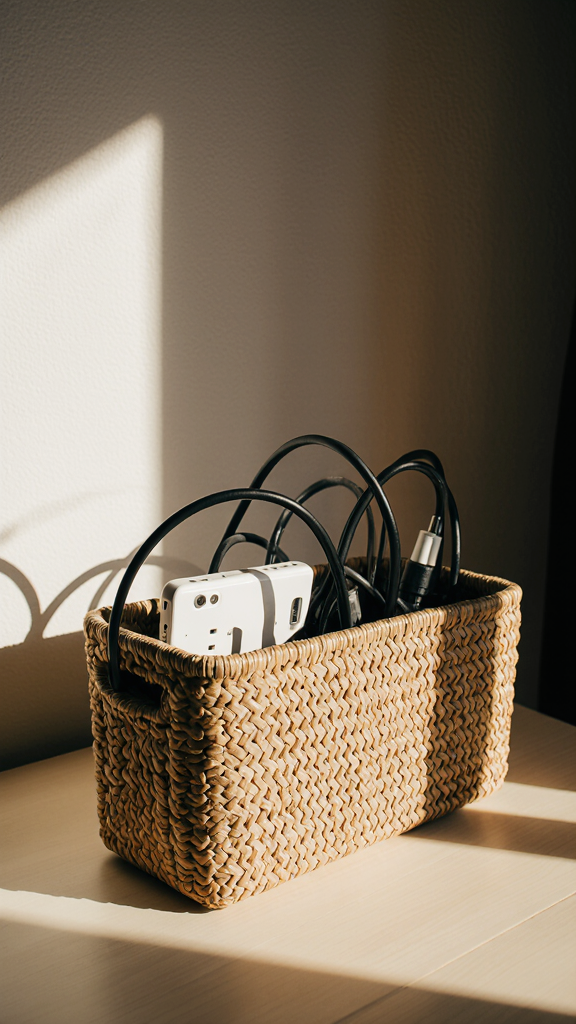
Power strips ruin clean desk setups fast.
They collect dust, attract tangled cables, and somehow always end up fully visible no matter how carefully you arrange things.
One of my favorite DIY fixes is hiding the power strip inside a simple storage box.
You can use:
Cut small openings on the sides for cables to pass through safely.
The box instantly:
My daughter once called our old power strip area scary spaghetti wires. Fair criticism honestly :/
Leave enough airflow around power strips and never overcrowd the box with too many adapters.
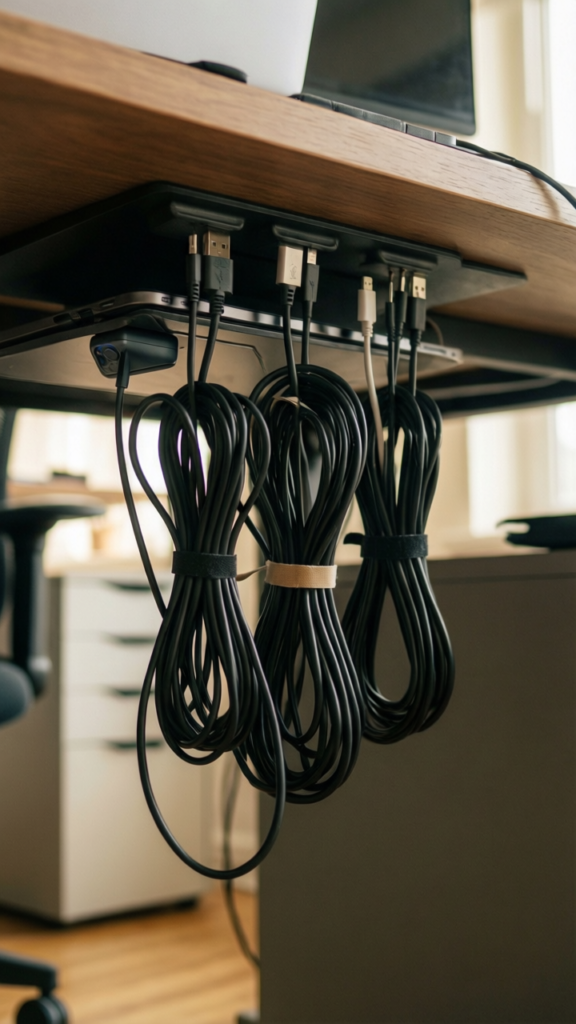
This trick completely changed how my desk looked from the side.
Instead of letting cables hang freely, attach them underneath the desk using small adhesive hooks or cable clips.
Most supplies cost very little and install within minutes.
The fewer visible cords you see, the calmer the desk feels.
Plus, vacuuming becomes dramatically less annoying afterward.
Which honestly deserves celebration.
Takeaway: Under-desk cable organization instantly creates a cleaner and more minimal desk setup.
Loose cords spreading across the floor create chaos fast.
Instead of letting every wire wander freely, group them together into one clean bundle.
You can make simple cable sleeves using:
One grouped cable line always looks cleaner than six separate cords crawling everywhere.
Cable sleeves help:
IMO, bundled cords make even basic desks look more professional.
Leave a little extra slack in the cables so devices can still move comfortably without pulling.
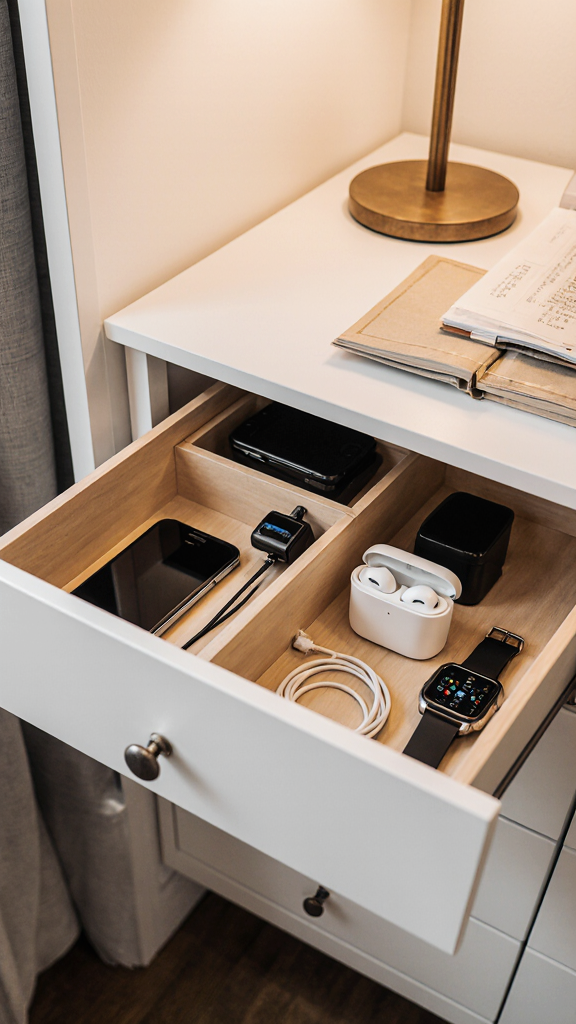
Charging stations become clutter magnets so quickly.
Phones. Watches. Earbuds. Tablets. Random mystery chargers that nobody remembers buying. Suddenly the desk disappears under electronics.
A hidden charging drawer solves that problem beautifully.
Use:
Drill a small hole at the back of the drawer for cords if needed.
The drawer keeps:
FYI, this also prevents family members from stealing your charger constantly because nobody can find it anymore 🙂
Takeaway: Hidden charging stations keep everyday tech clutter out of sight while staying functional.
I made almost every one of these mistakes before finally organizing my setup properly.
Sometimes the biggest improvement comes from simply removing unused cables altogether.
You do not need expensive organizers to improve your desk setup.
Affordable supplies that work surprisingly well:
Even tiny upgrades create noticeable improvements fast.
Honestly, cable clutter slowly returns no matter how organized things start.
That is why small maintenance habits matter.
Takes maybe five minutes total.
Very boring advice. Very effective advice.
Takeaway: Small weekly resets prevent cable clutter from building up again.
A cleaner desk affects your mood more than most people realize.
Less clutter means:
Once my desk stopped looking like a tangled electronics aisle, I actually enjoyed sitting there more often.
Funny how tiny improvements change the entire atmosphere of a room.
These 5 simple DIY solutions on how to hide cables on desk setups can completely transform your workspace without requiring expensive products or complicated installations.
The biggest surprise is how much calmer the desk feels afterward. Hidden cords instantly reduce visual chaos and make the entire room feel cleaner and more organized.
Start small. Add binder clips. Hide one power strip. Organize the charging area first. Tiny upgrades build momentum quickly, and honestly, once the cable mess disappears, you will wonder why you waited so long to fix it.








