Physical Address
304 North Cardinal St.
Dorchester Center, MA 02124
Physical Address
304 North Cardinal St.
Dorchester Center, MA 02124

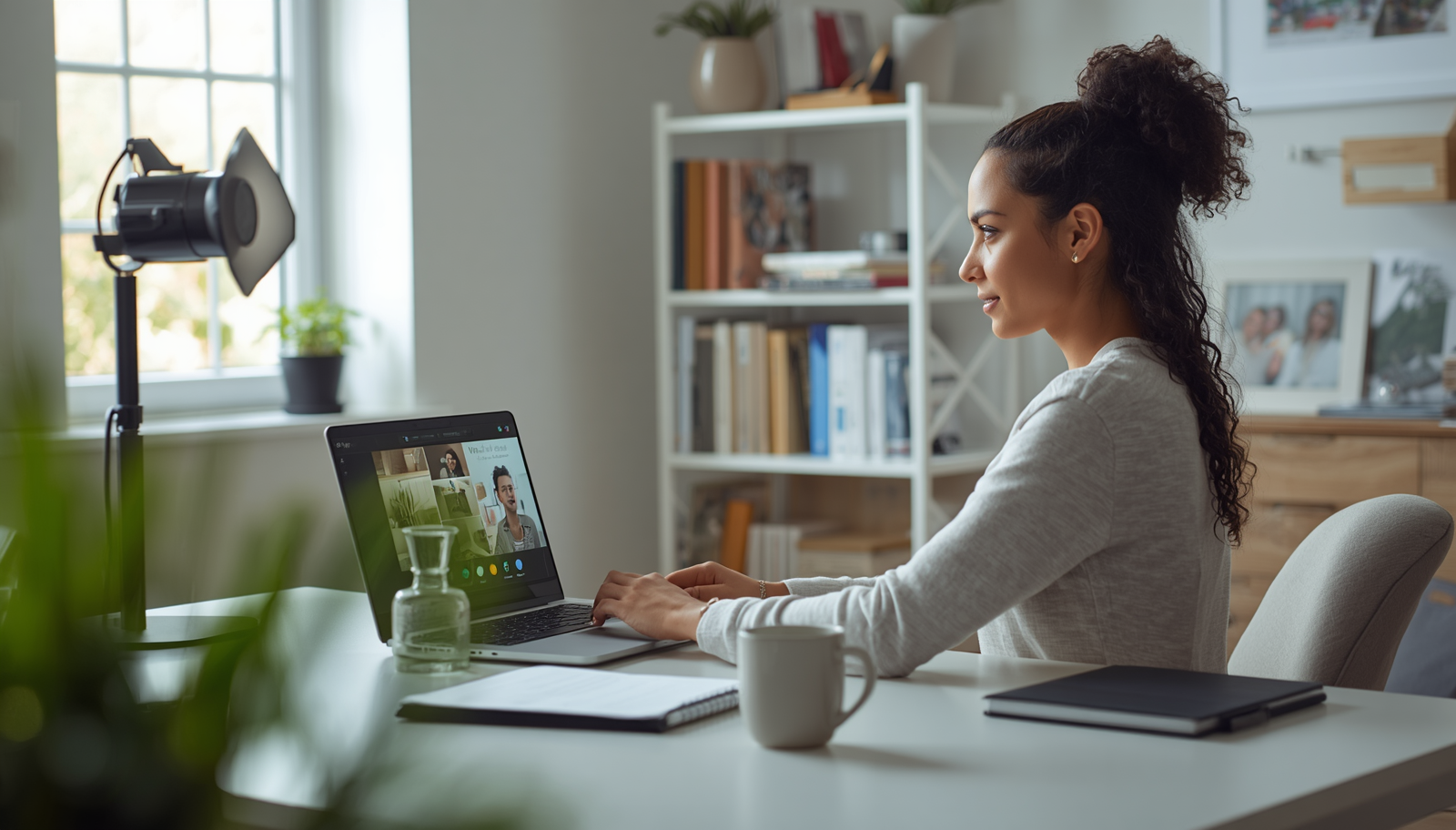
Create a more professional and memorable presence on Zoom with seven practical home office setup tips that improve your lighting, audio, background, and workspace without requiring a big budget.
The meeting starts in thirty seconds. You glance at your camera preview and notice the pile of laundry on the chair behind you. The room lighting makes you look like you’re broadcasting from a cave. Meanwhile, your microphone somehow picks up every sound in the neighborhood.
Most of us have been there.
Working from home sounds great until you realize people judge your professionalism through a tiny video box on Zoom. Clients notice. Coworkers notice. Potential customers definitely notice. The good news is that creating a polished setup does not require a huge budget or a dedicated studio.
As a freelancer, business owner, blogger, wife, and mom to a very energetic daughter, I learned this lesson the hard way. My first home office looked functional to me. On camera, it looked like controlled chaos. After a few embarrassing calls and plenty of trial and error, I figured out what actually makes a difference.
Here are my 7 professional home office setup tips to impress on Zoom calls without turning your house upside down.


People often obsess over cameras while ignoring what appears behind them.
Your background tells a story before you say a single word. A clean bookshelf, a framed print, or a tidy workspace quietly communicates that you have your act together. A mountain of unfolded laundry tells a different story.
When I started taking client calls seriously, I stopped trying to hide my workspace and started designing it. I added a small plant, a few books, and one framed photo. Nothing fancy. Just enough to make the space look deliberate.
Takeaway: Your background should look intentional, not accidental.


I spent weeks researching webcams before realizing my lighting was the real problem.
A decent webcam with good lighting usually beats an expensive webcam with bad lighting. That simple truth saved me money and improved my video quality overnight.
Natural light works best whenever possible. Place your desk facing a window. The difference can be dramatic. You instantly look more awake and approachable.
If natural light is inconsistent, use a ring light or LED panel. Just avoid placing bright lights directly behind you unless your goal is to resemble a mystery witness on a crime show.
Takeaway: Great lighting creates a professional appearance faster than any camera upgrade.


People tolerate average video.
People rarely tolerate terrible audio.
Think about it. Have you ever sat through a call where someone sounded like they were speaking from inside a washing machine? It’s exhausting.
I learned this after a client politely asked me to repeat myself for the fifth time during a strategy session. My laptop microphone was working overtime and losing the battle.
A basic USB microphone transformed my calls immediately. Clients noticed. Interview guests noticed. Even my daughter noticed because she stopped hearing me complain about audio issues.
Takeaway: Clear audio signals professionalism more than ultra-sharp video.


Few things scream amateur setup louder than a camera pointing up your nose.
Yet many people still join meetings with laptops sitting flat on their desks.
Raising your camera to eye level creates a more natural conversation. It feels like you’re speaking directly to someone rather than peering down from a security camera.
I use a simple laptop stand. Before that, I stacked books under my laptop. Not glamorous, but effective. FYI, clients care about how you appear on screen, not whether your stand cost fifty dollars.
Takeaway: Eye-level camera placement instantly improves your on-screen presence.


A cluttered desk creates hidden stress.
I discovered this during a busy week when I kept losing notes, charging cables, and even my coffee mug. Somehow everything vanished under piles of paper.
A cleaner workspace makes meetings smoother because everything stays within reach. You spend less time searching and more time focusing.
That does not mean your desk needs magazine-level perfection. Mine certainly doesn’t. It just needs enough order to support your work.
Takeaway: A functional desk helps you appear calm, prepared, and organized.


The most memorable Zoom setups often feel human.
One reason clients enjoy working with freelancers and small business owners is authenticity. A sterile office can feel cold. A little personality creates connection.
I keep a small plant and a framed family photo in the background. They occasionally spark conversations before meetings begin. Those little moments help build relationships.
The key is balance. You want personality, not distraction. Nobody needs to see your entire collection of novelty coffee mugs unless that’s somehow central to your business. 🙂
Takeaway: Professional does not mean boring.


This tip sounds obvious until you skip it once.
Then Zoom updates itself three minutes before a client presentation.
Then your microphone disappears.
Then your camera refuses to cooperate.
Ask me how I know.
A quick five-minute check prevents most meeting disasters. IMO, this habit delivers more value than any expensive office gadget.
Those few minutes reduce stress and help you show up confidently.
Takeaway: Preparation beats troubleshooting during a live meeting.
A professional home office setup is not about impressing people with expensive equipment.
It is about removing distractions so your ideas become the focus. When your audio sounds clear, your lighting looks natural, and your background feels organized, people pay attention to what you are saying.
That shift matters whether you are pitching clients, leading a team meeting, interviewing for a job, or growing a business from your spare bedroom.
The funny thing is that most upgrades cost far less than people expect. A cleaner background, better lighting, improved audio, and thoughtful camera placement often create the biggest improvements.
Creating a professional workspace does not require a complete renovation or a massive budget. Small improvements add up quickly. Start with one change, test it, and build from there.
The next time you join a Zoom call, take a moment to look at your setup through someone else’s eyes. What story does it tell?
If the answer reflects confidence, preparation, and professionalism, you’re already ahead of most people on the call.








